
The instructions that follow are to assist with audio playback in Studio 3 through the speakers.
- Turn ON:
Speakers using white speaker remote. Press ALL ON.
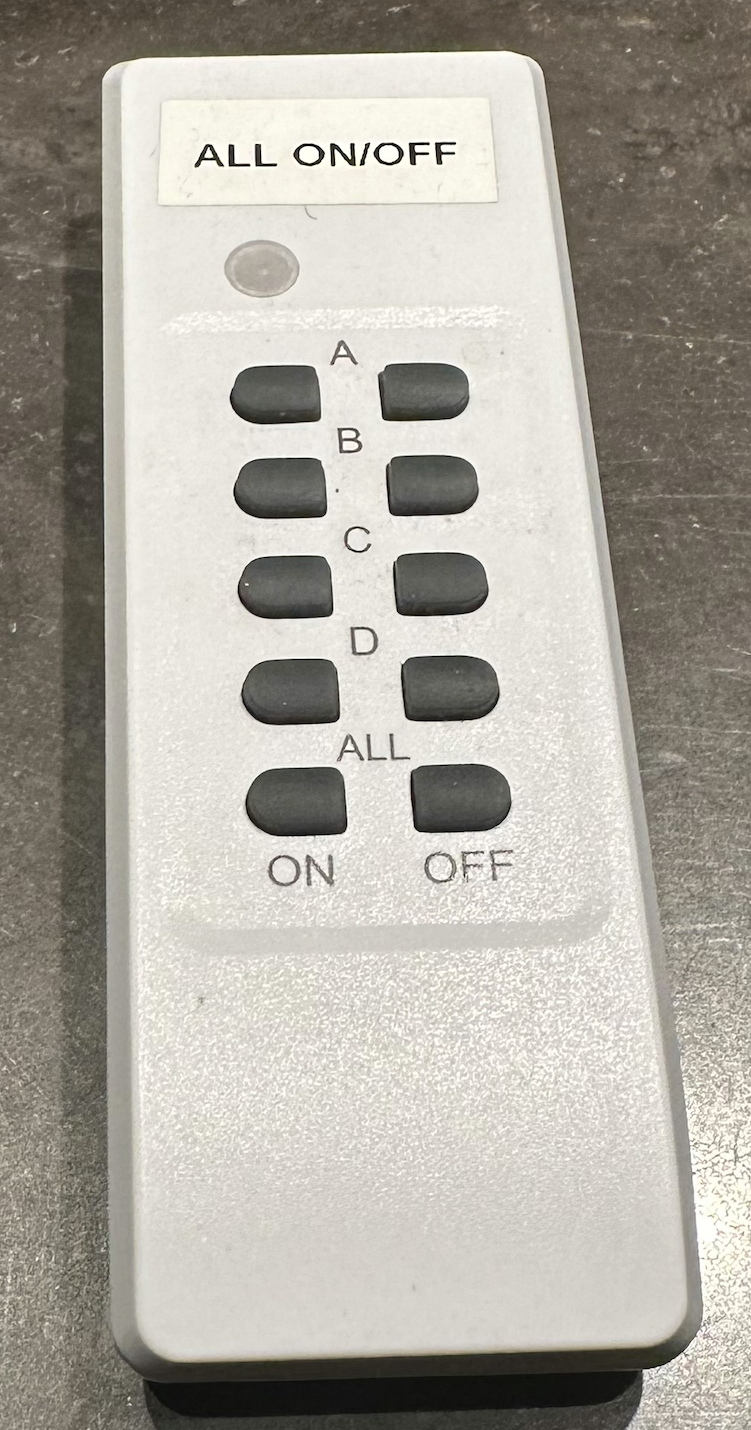
2. Connect AUDIO SOURCE
Aux Playback [AUX] ...mini-jack behind left speaker stand.
Mac Studio [RME 1-2]… … On front-bench to the right next to the display monitor.
See here for laptop connection.
Monitor Control – PreSonus Monitor & Talkback Controller
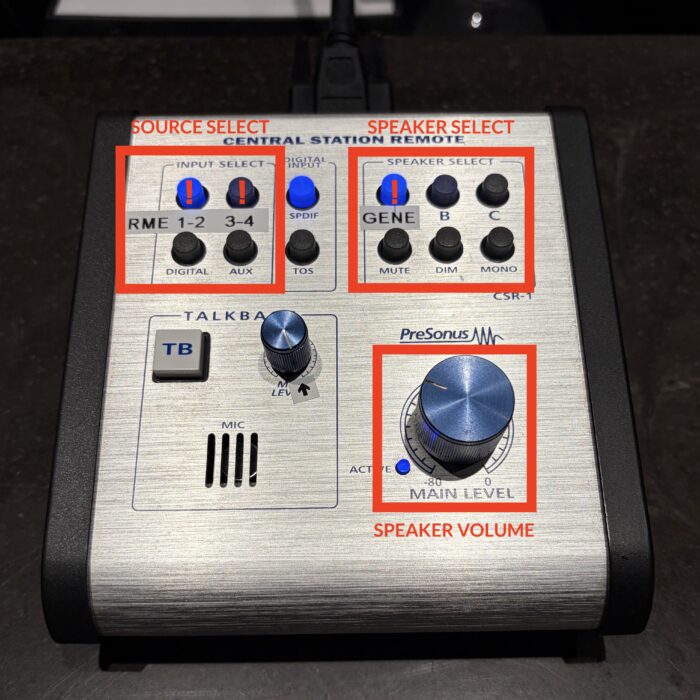
The PreSonus Monitor & Talkback Controller in Studio 3 controls speakers, talkback, and other monitoring functions. Basic operations below:
- Press PLAY on some audio and adjust volume via the large circular dial labelled main level/speaker volume.
- Ensure GENE (Genelec) is the selected speaker.
- Ensure RME 1 – 2 is the source selected
Troubleshoot the Mac Studio
If you find difficulty with audio playback from the Mac Studio, please attempt these actions first:
- Ensure each of the above-mentioned steps have been followed meticulously.
- Ensure Sound Output in System Preferences is set to Fireface 802.
- Restart the Mac Studio if none of the above resolves the issue.
The speaker should be playing audio if the above was followed correctly.
NB: The TotalMix application must be opened on the desktop for the PreSonus to function. Keep minimised or left open in background.